Short, step-by-step guides. Each one takes about 2 minutes.
1. Sign up & set up your business
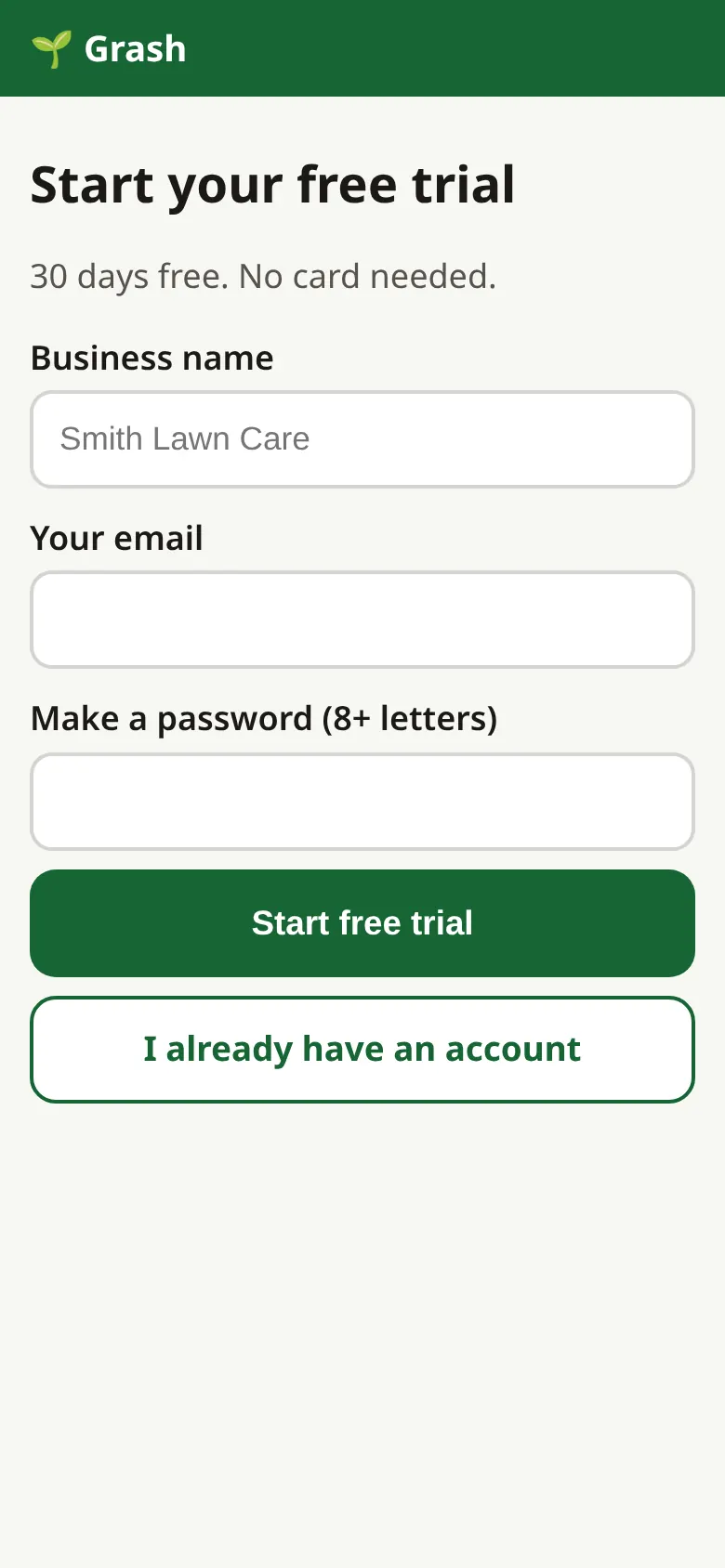
- Go to grash.app and tap Start free trial.
- Type your business name, email and a password. Tap Start free trial.
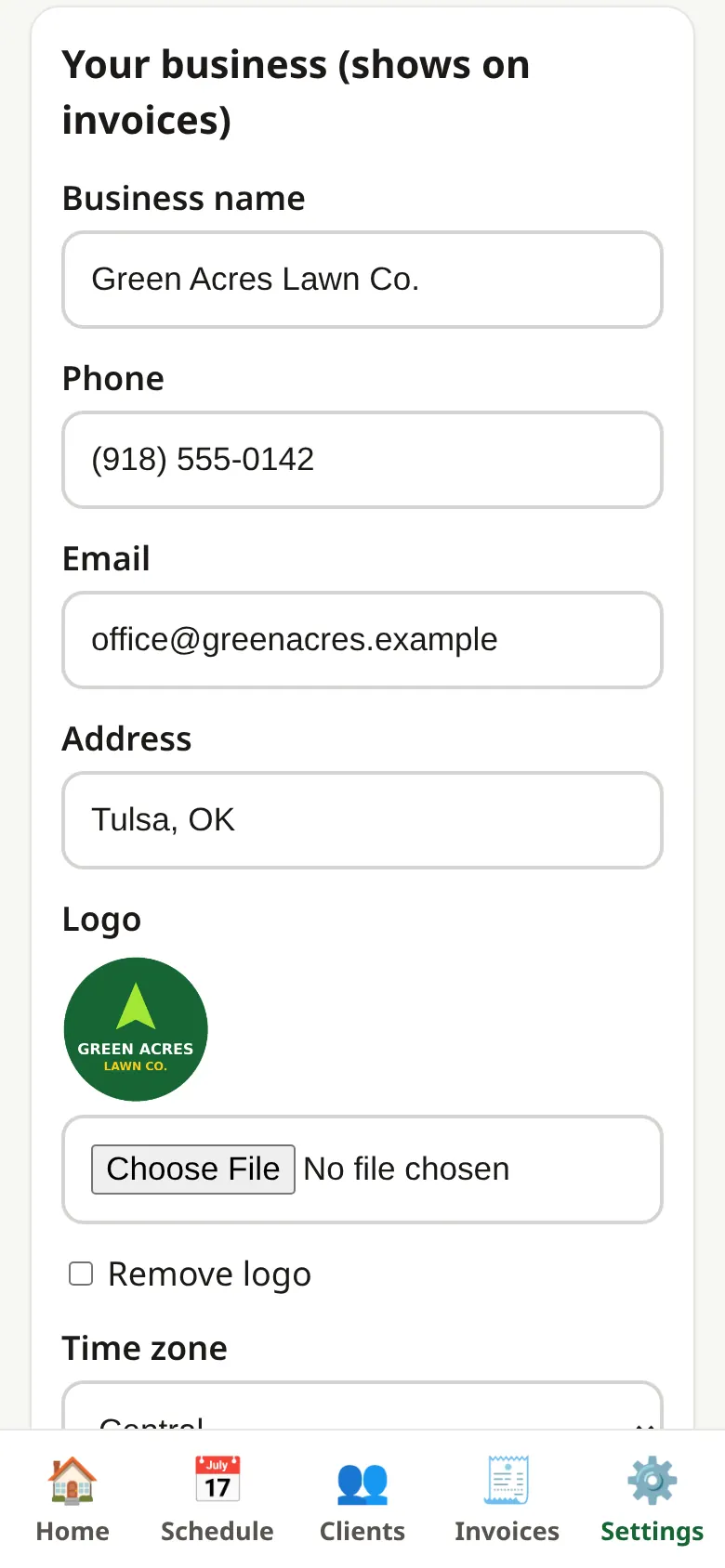
- Tap Settings. Add your phone, address and logo. Tap Save.
- Check your Time zone is right.
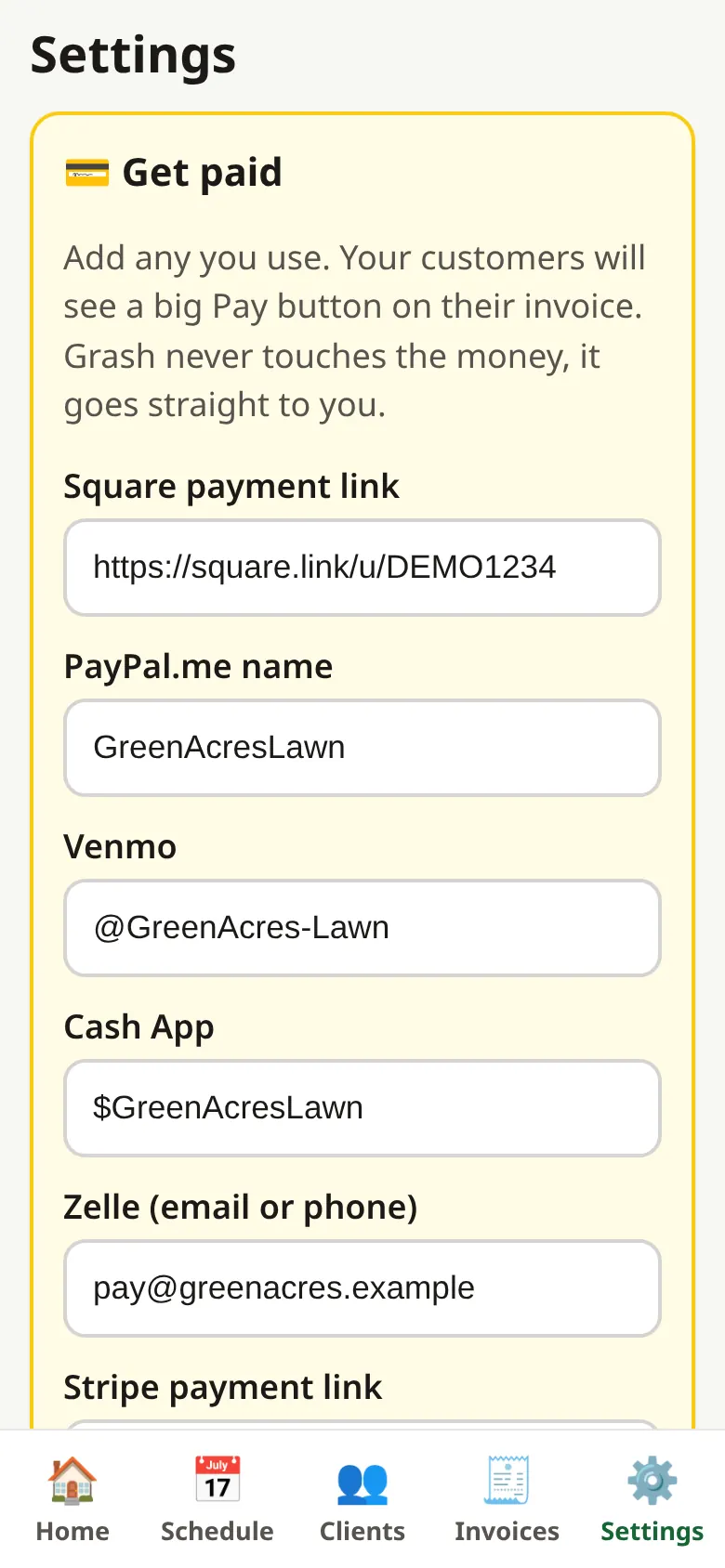
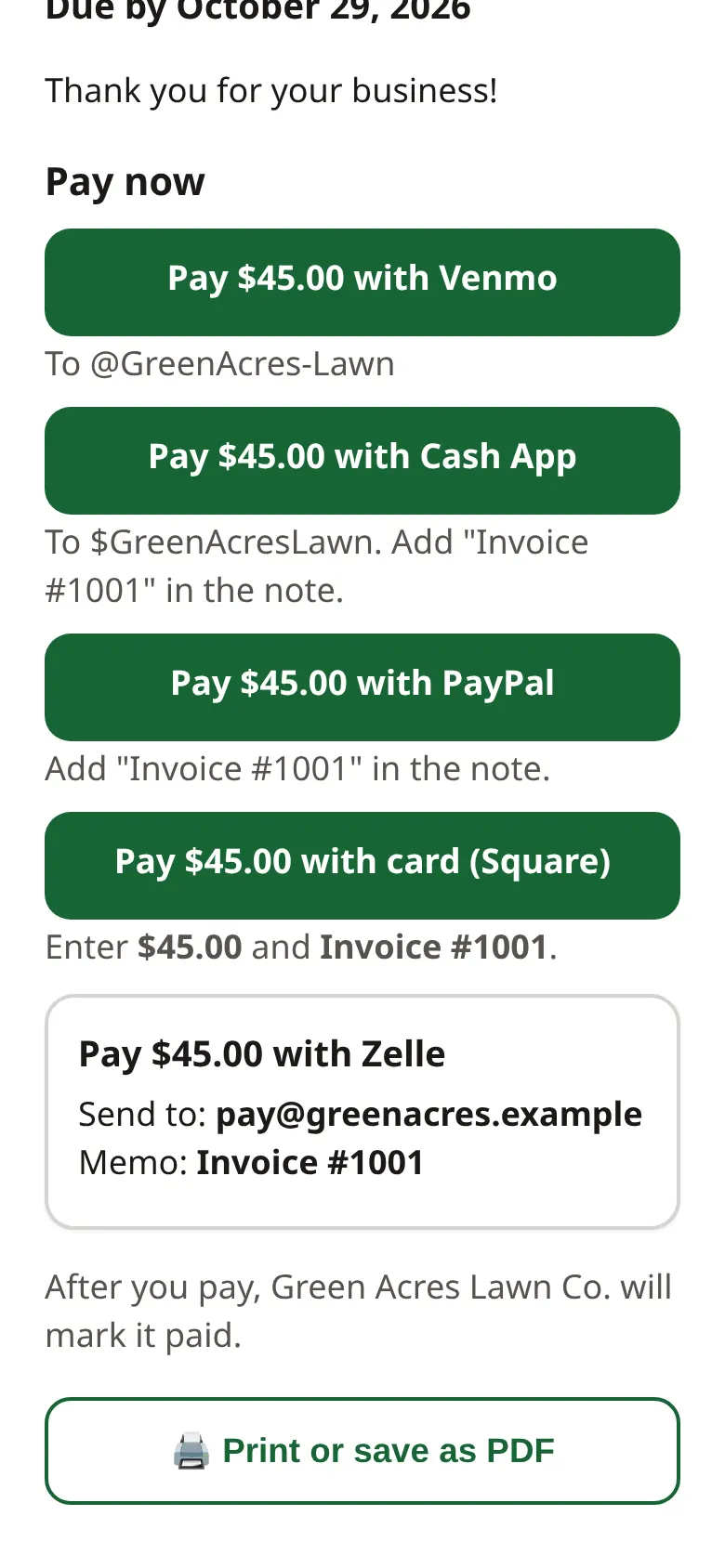
- In Get paid, add your Venmo, Cash App, PayPal, Zelle or Square link. Tap Save pay options.
2. Add a client & a property photo
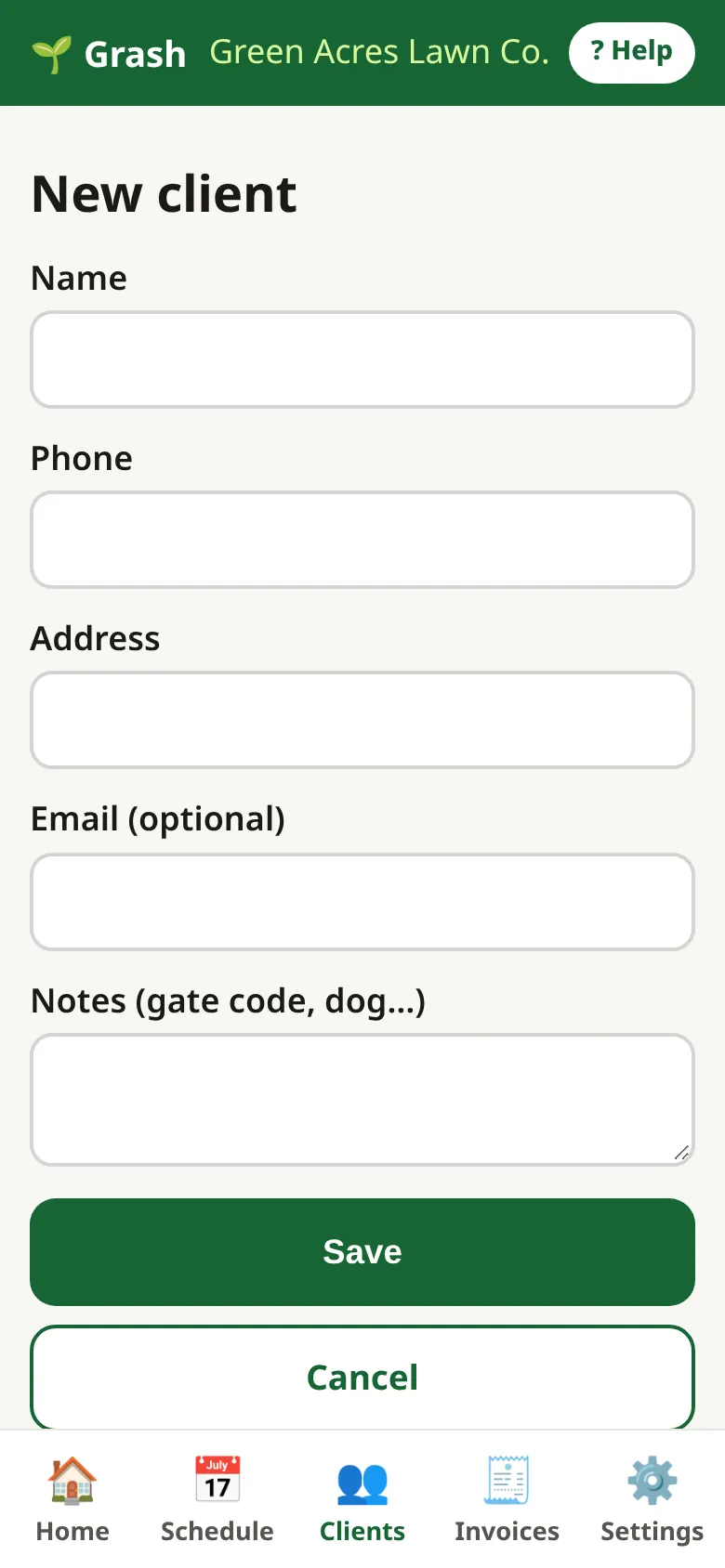
- Tap Clients, then + Add client.
- Type their name, phone and address. Add notes like "gate code 4512".
- Tap Save.
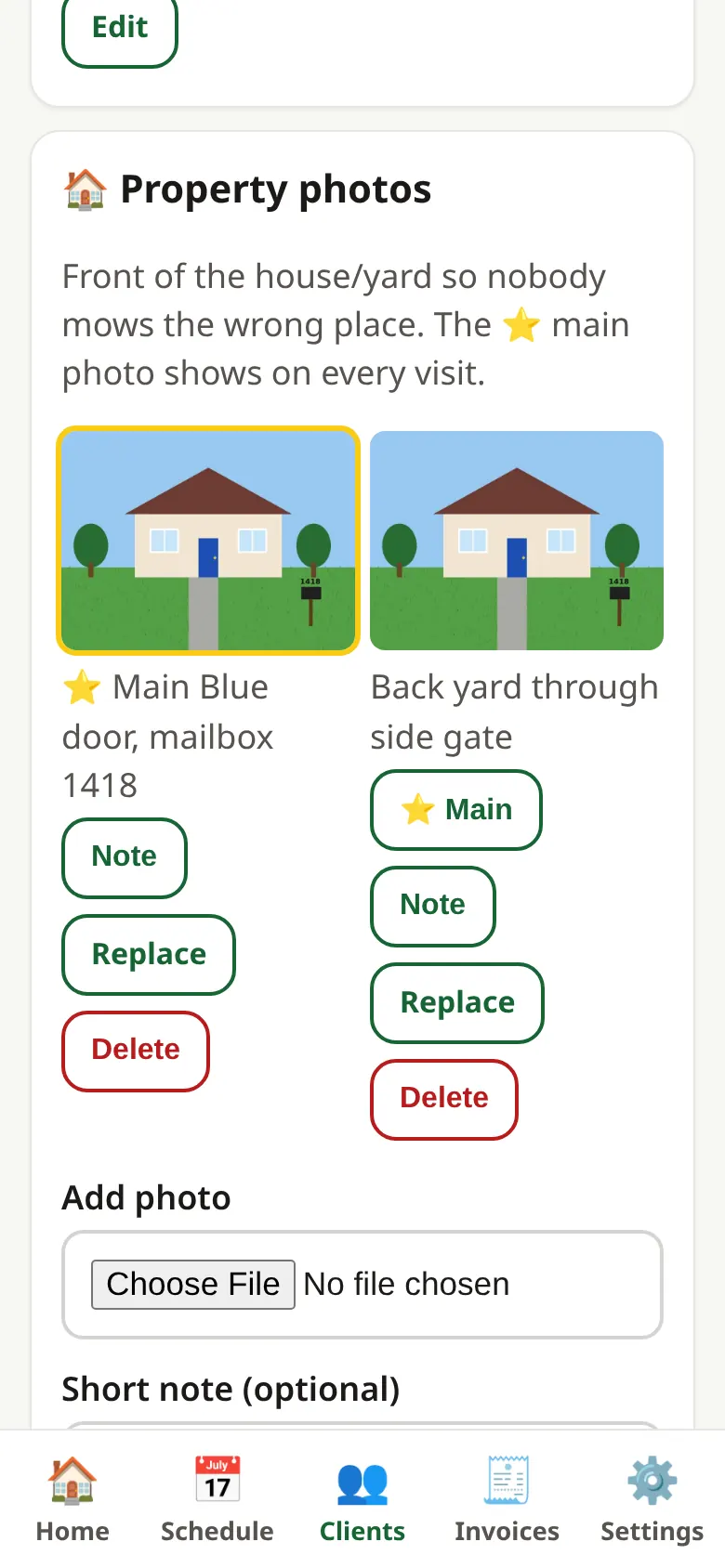
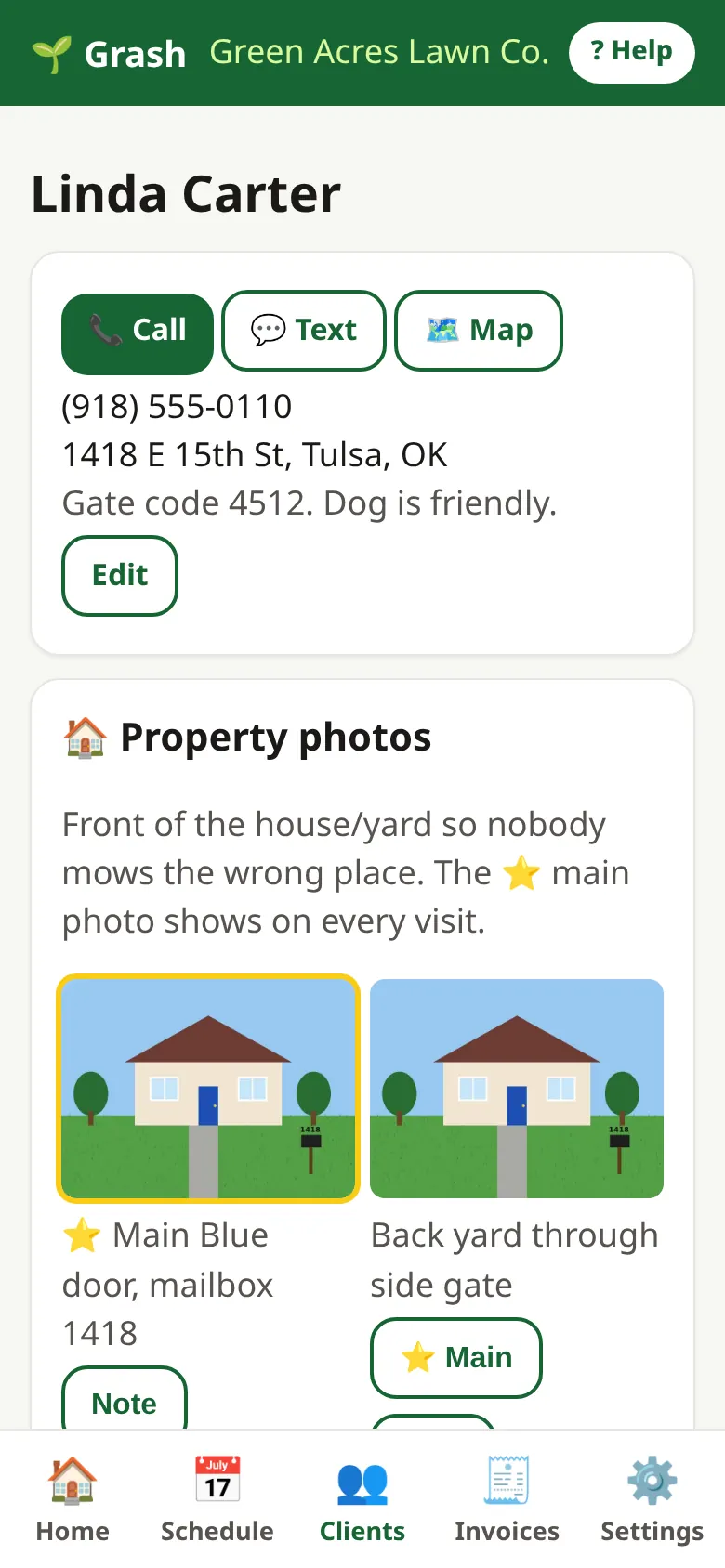
- On the client page, find Property photos. Take a photo of the front of the house.
- Add a short note, like "blue door, corner lot". Tap Add property photo.
3. Schedule recurring work
- Open the client.
- Tap + Add regular visit. Type what (like "Lawn mowing") and the price per visit.
- Pick how often: every week, every 2 weeks, every few days, or monthly.
- Pick the first visit day. Tap Add to schedule.
- Tap Schedule to see your day or week.
4. Add crew members & make a team
- Tap Settings, then go to Crew & teams.
- Tap + Add crew member. Type their name and cell phone. Tap Add. Grash shows their login and password. Give it to them.
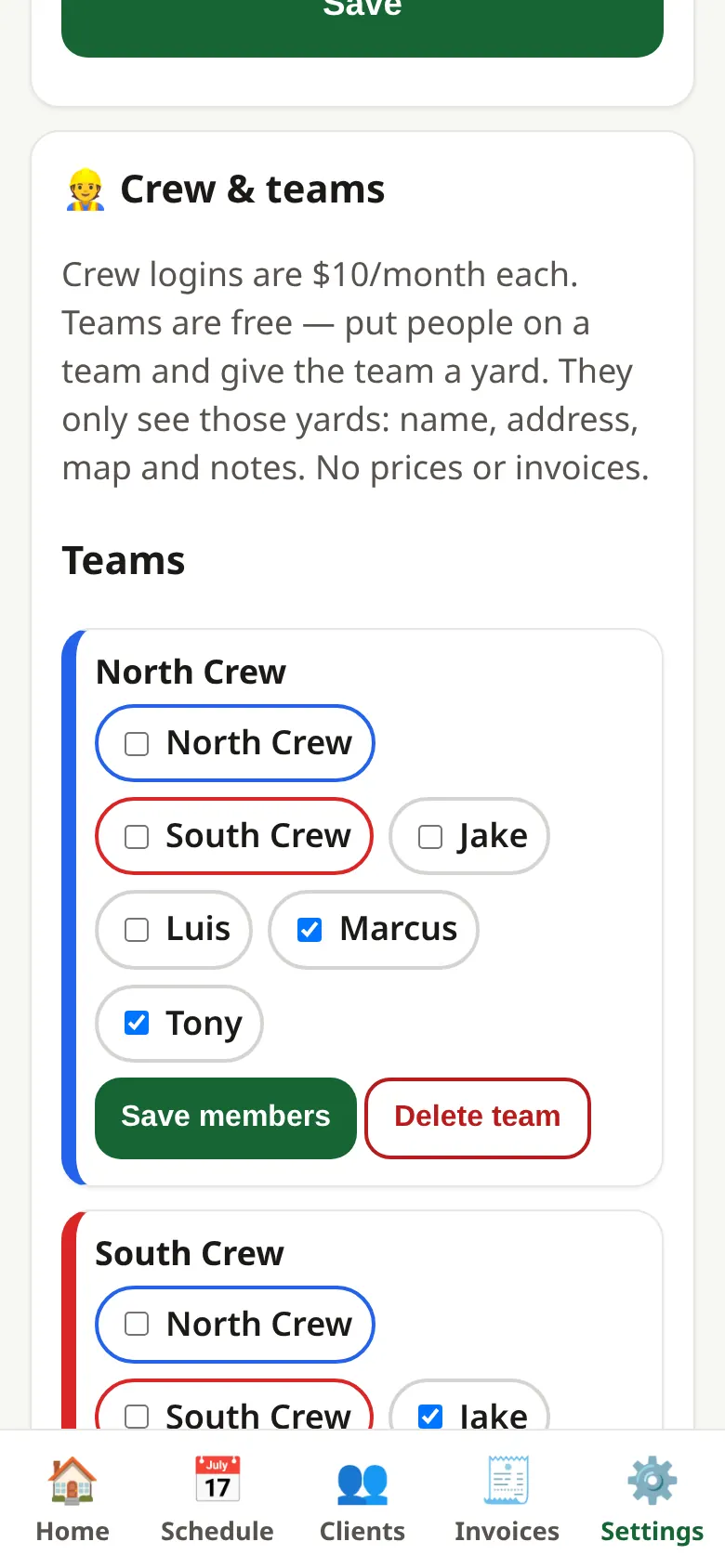
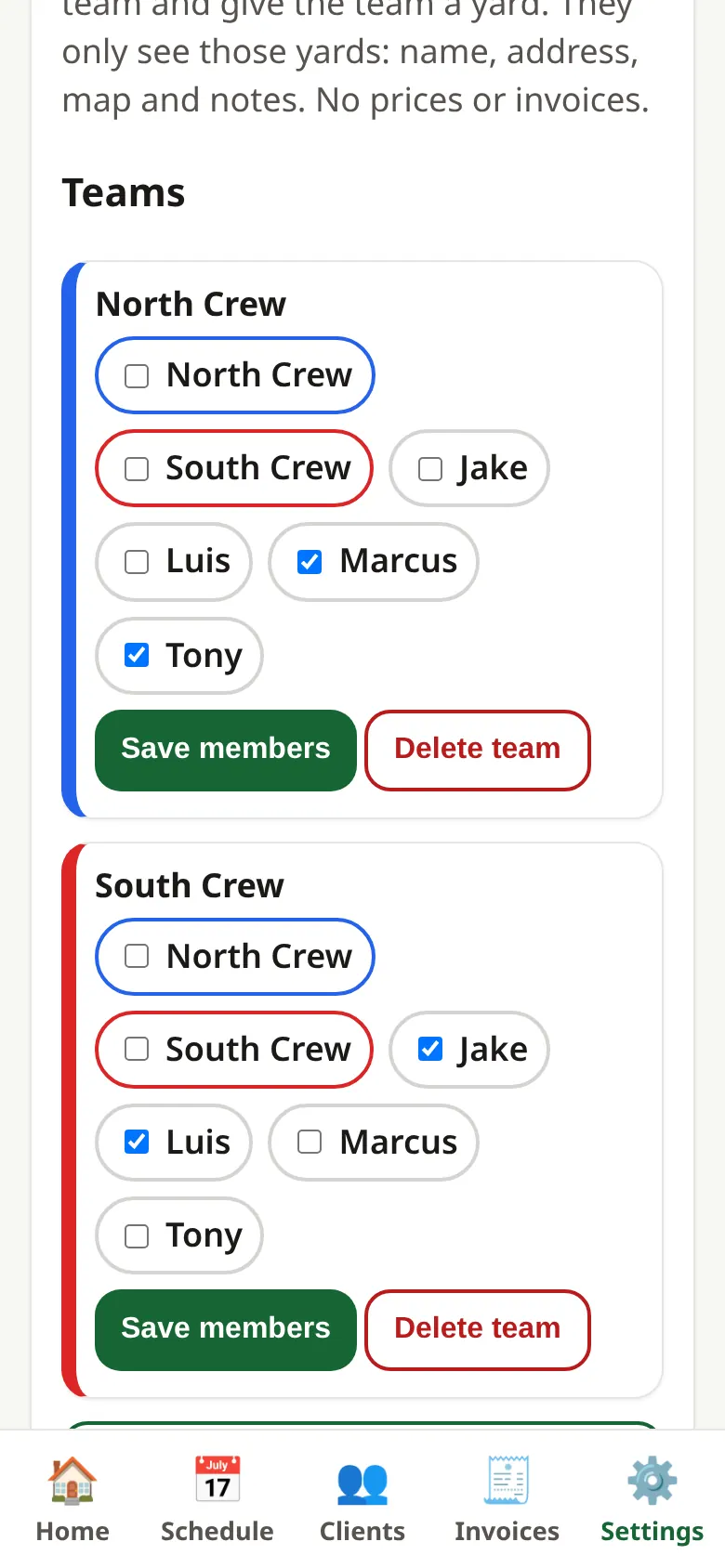
- Tap + New team. Type a name like "North Crew". Tap Add team.
- Check the boxes for who is on the team. Tap Save members.
- Each crew login is $10/month. Teams are free.
5. Assign jobs
- Open a client.
- Under Who does this yard?, tick a team or a person.
- Tap Save who.
- Now that crew sees this yard on their phone. They don't see prices.
6. Use the map & route view
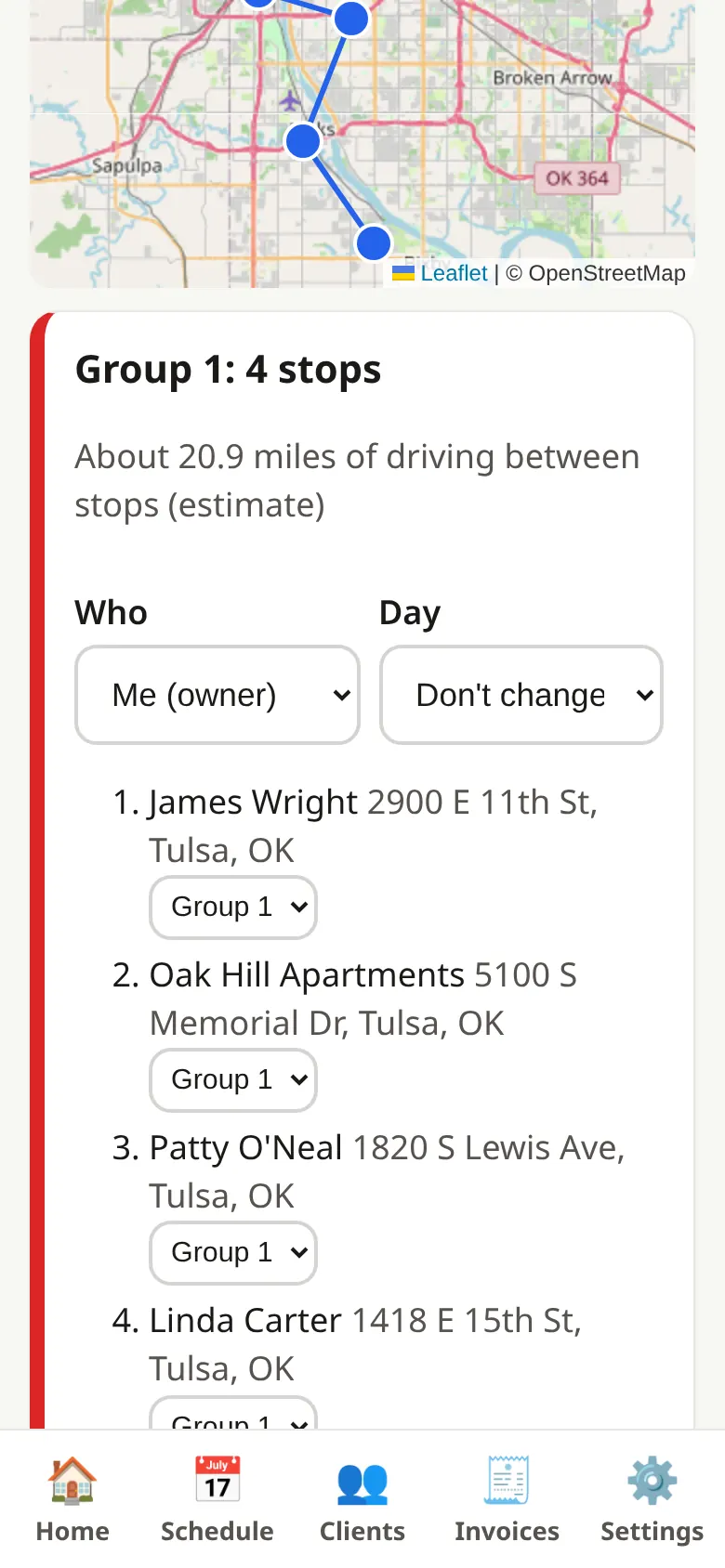
- Tap Clients, then 🗺️ Group by area.
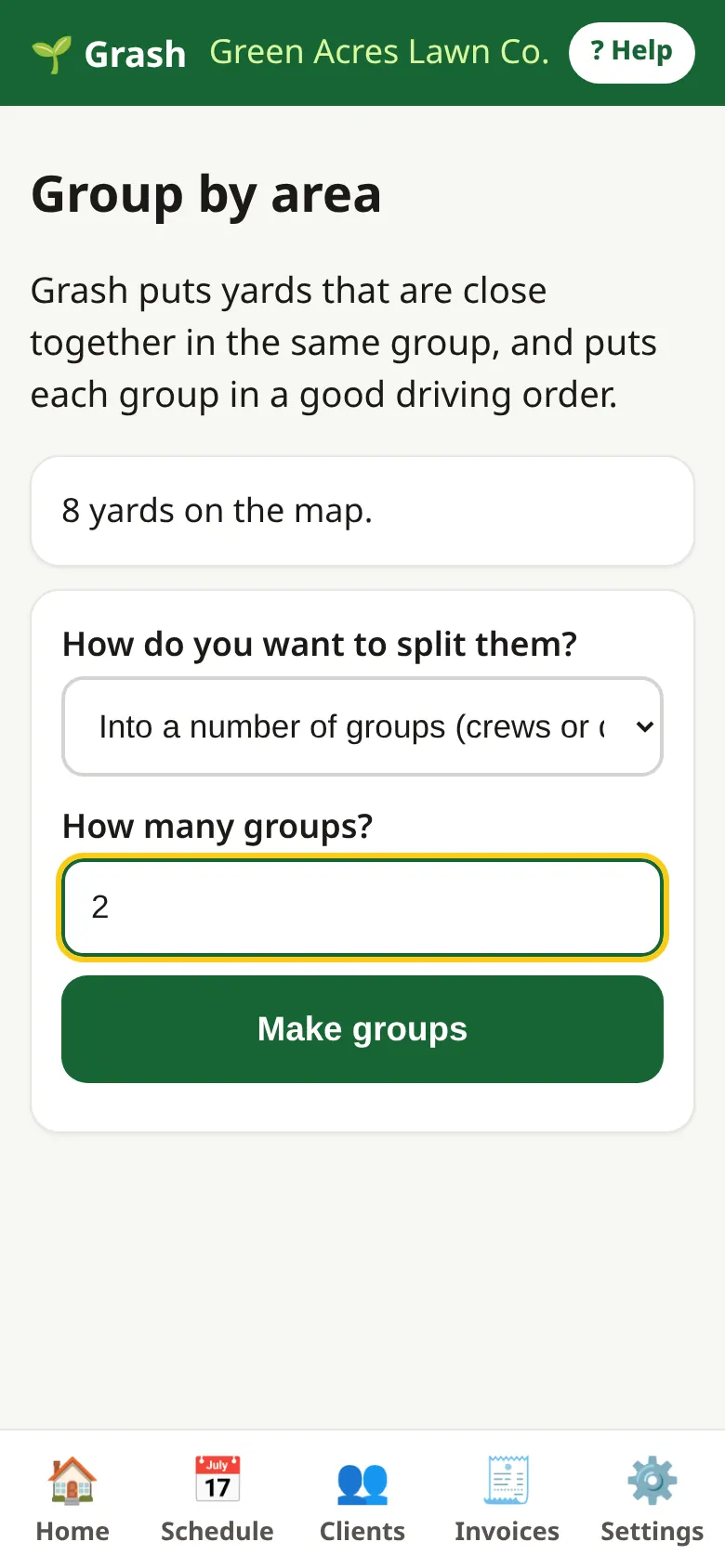
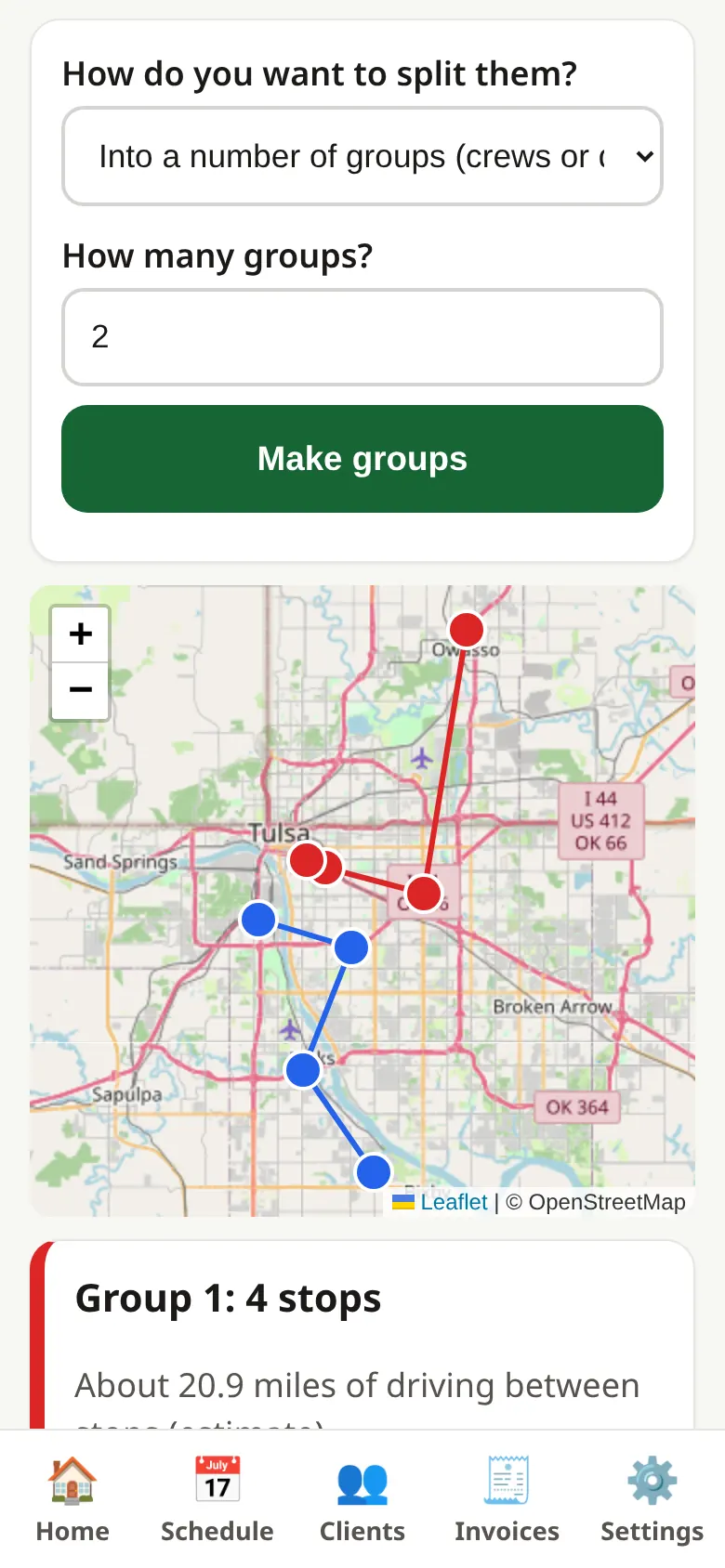
- Type how many groups you want (like one per crew). Tap Make groups.
- Look at the map. Each color is one group, in driving order.
- Pick who does each group and which day. Tap Save changes.
7. Finish a job with photos
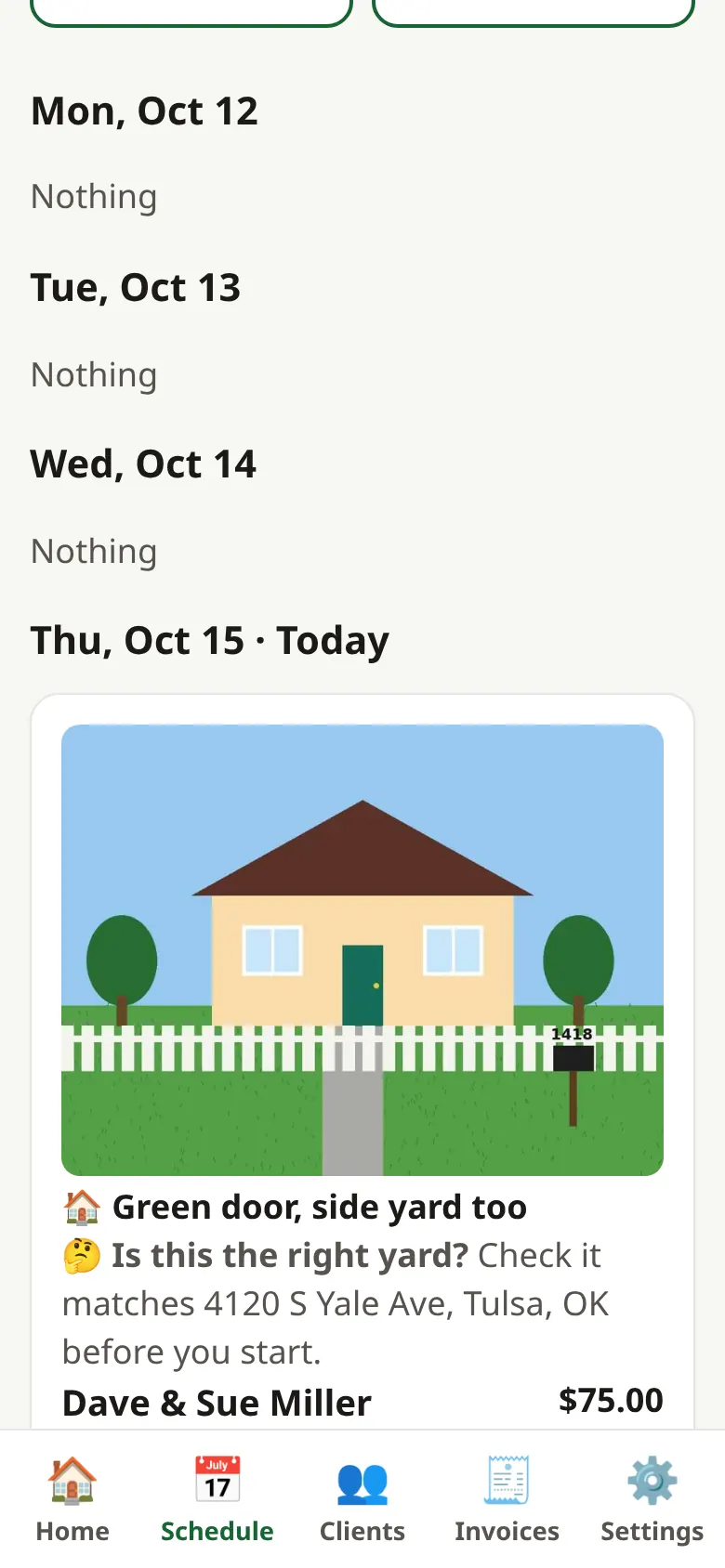
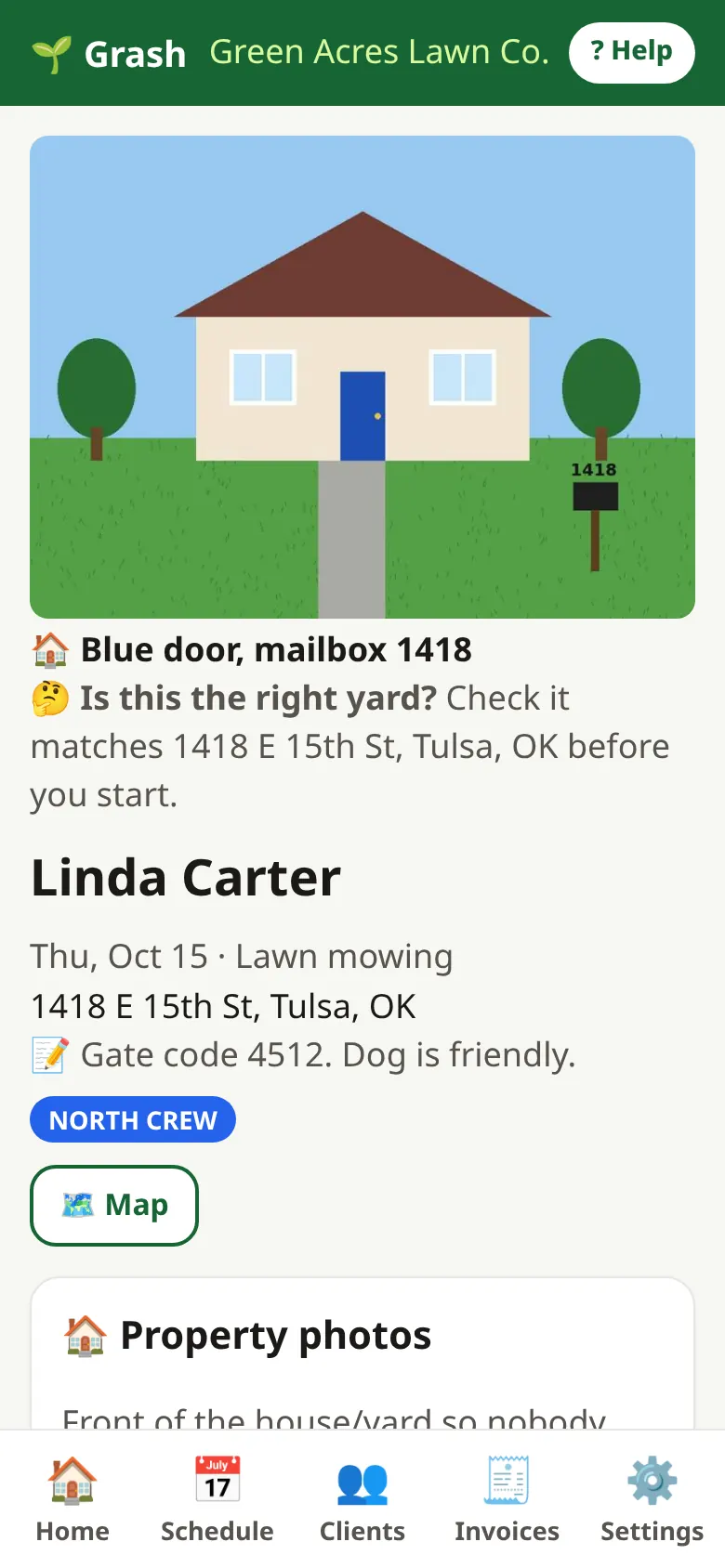
- Tap Schedule and open today's visit.
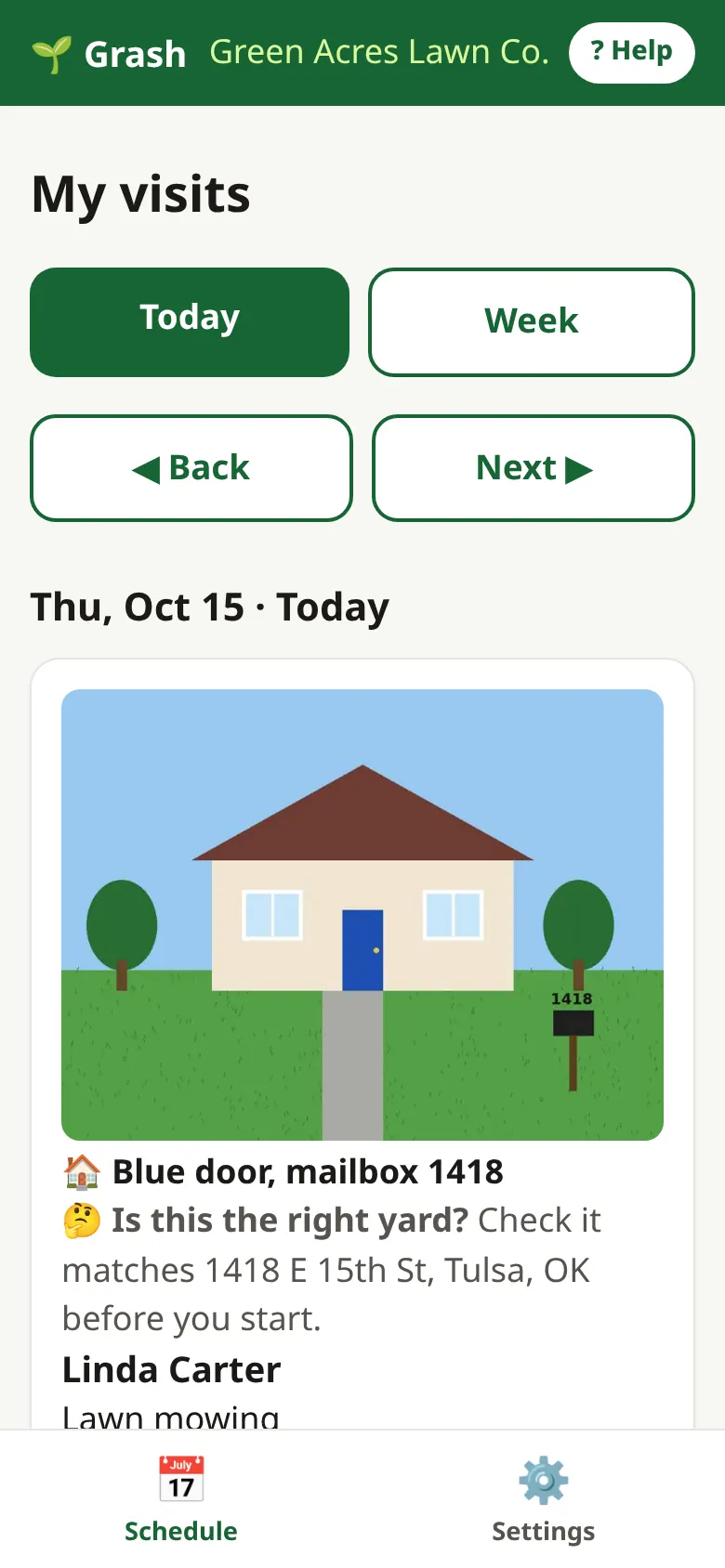
- Look at the photo. Is this the right yard?
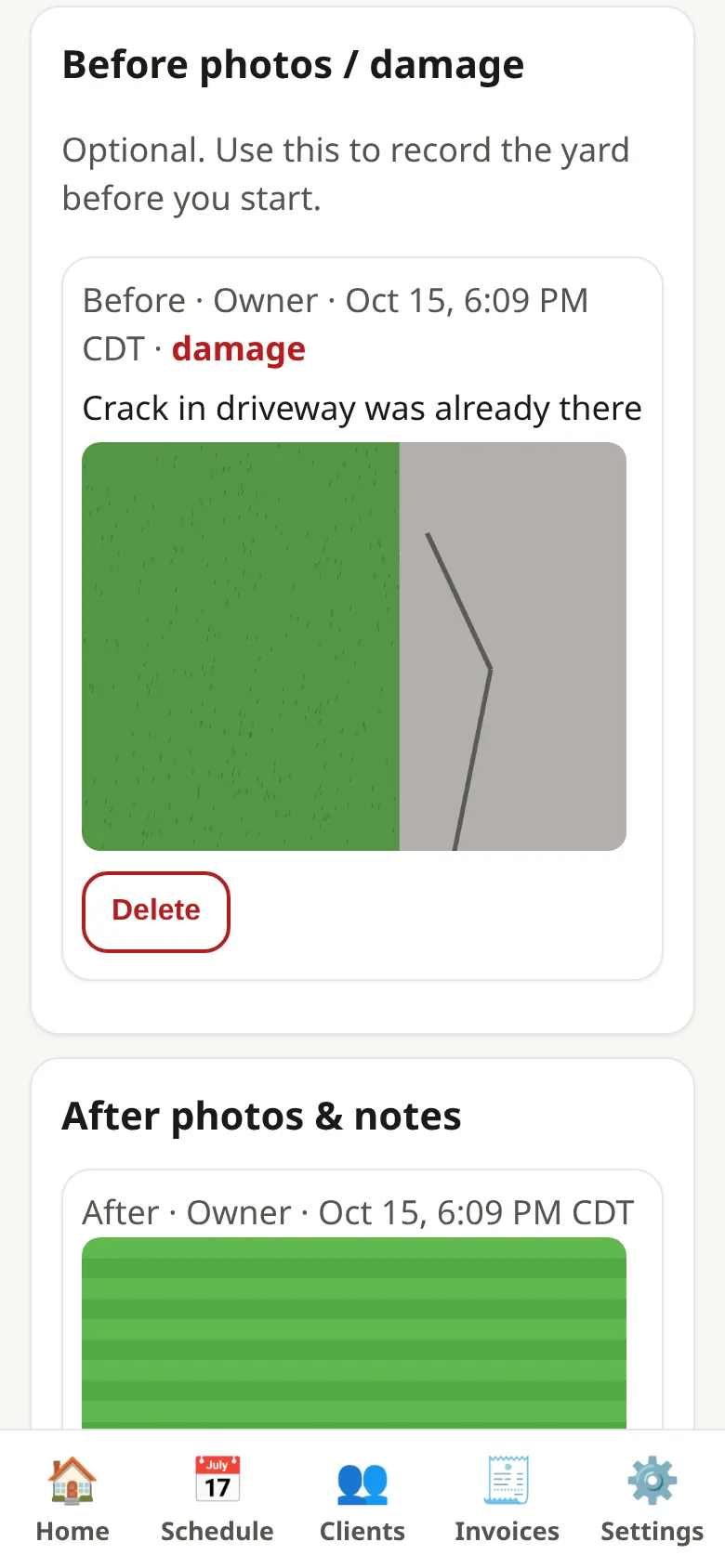
- If something is already broken, add a before photo and tick Existing damage.
- After you mow, add an after photo.
- Tap Done.
8. Send the invoice & get paid
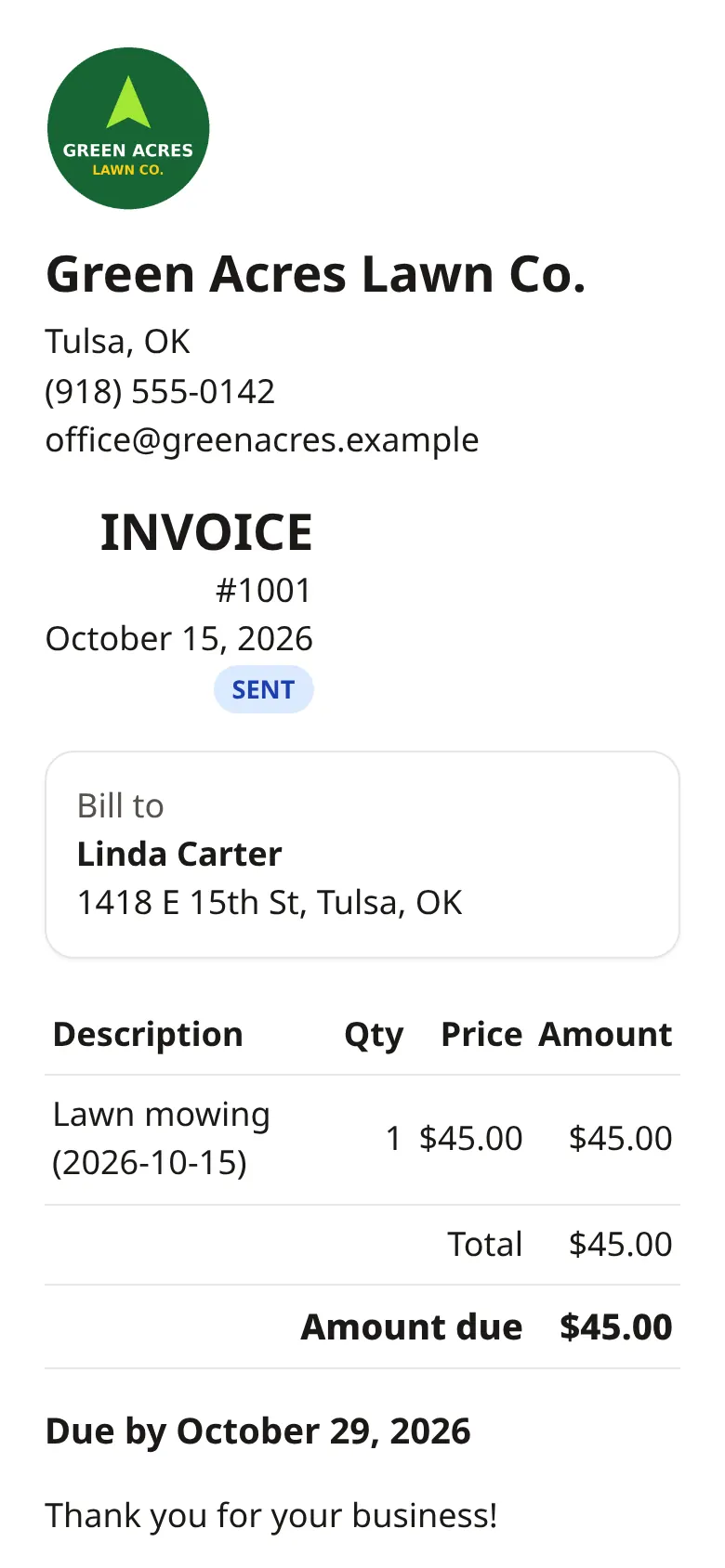
- After Done, the invoice is ready.
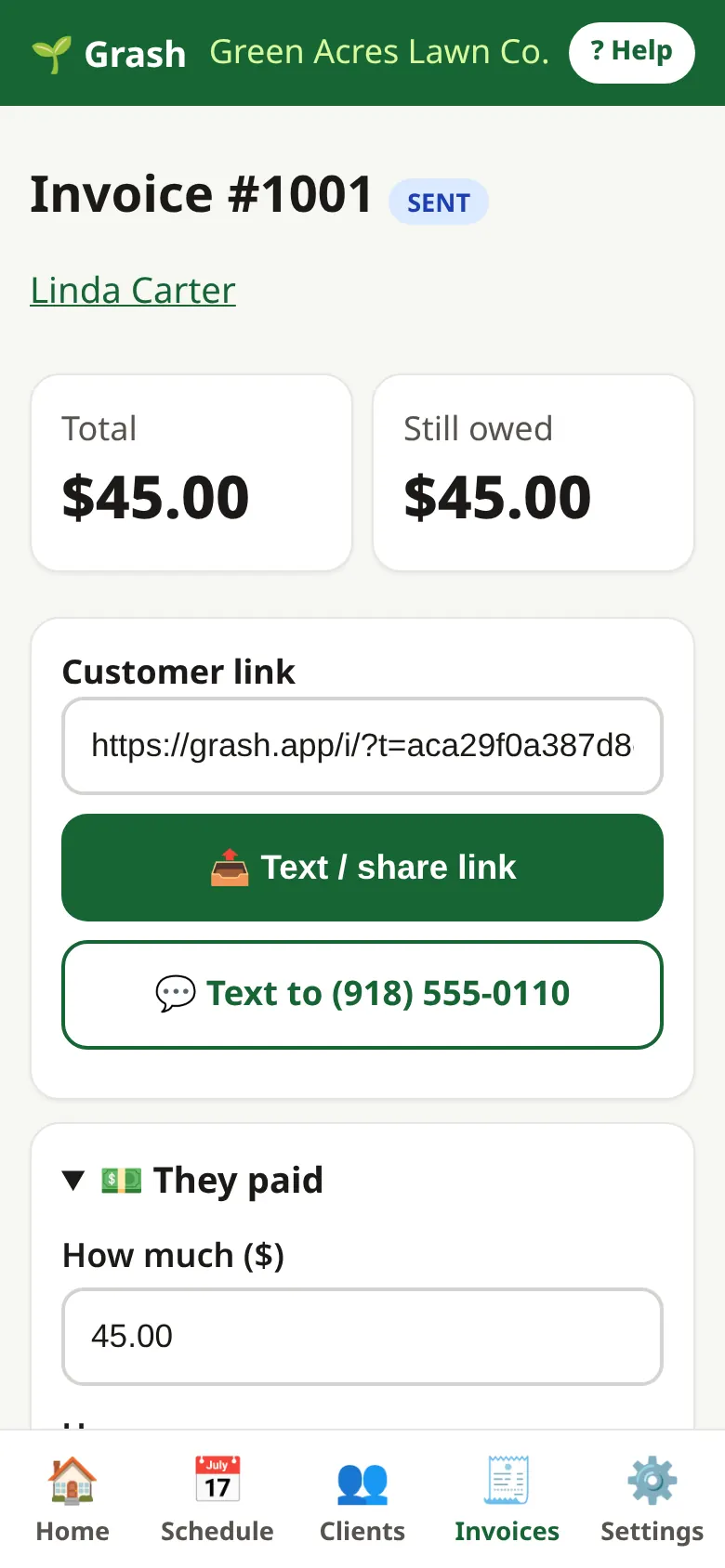
- Tap Text / share link to send it to your customer.
- Your customer taps Pay and pays you with Venmo, Cash App, PayPal, Zelle or Square.
- When the money comes in, tap They paid and type the amount.
- Tap Invoices to see who still owes and who is late.
9. Put Grash on your phone
- iPhone: open grash.app in Safari. Tap the Share button (square with arrow). Tap Add to Home Screen.
- Android: open grash.app in Chrome. Tap Install Grash, or the ⋮ menu, then Install app.
- Now open Grash from its icon, like any app.
10. Winter pause
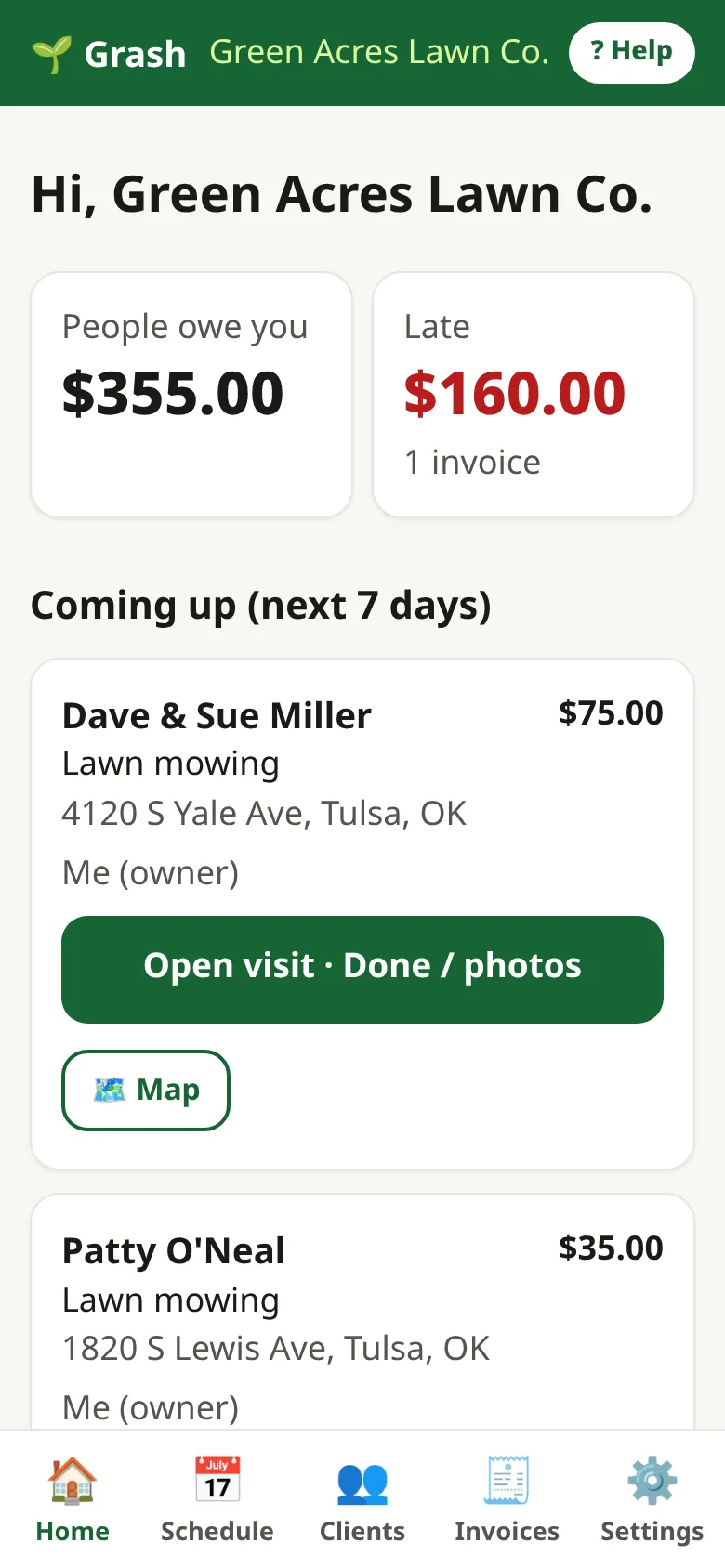
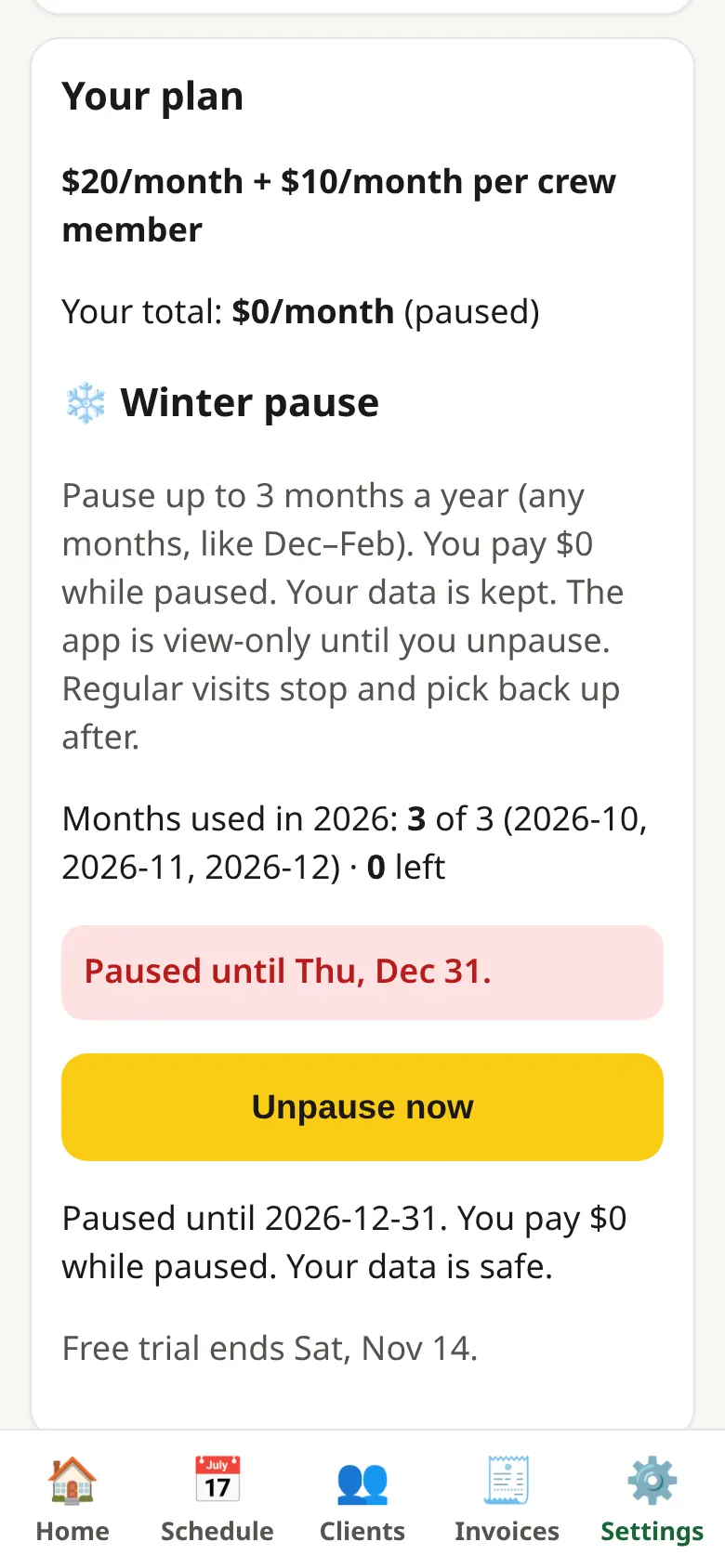
- Tap Settings, then go to Your plan.
- Tap Pause Grash. Pick a start day. Leave the end empty to use all your months, or pick an end.
- Tap Pause. You pay $0. Grash is view-only.
- In spring, tap Unpause now. Your schedule starts again.
- You get up to 3 months each year.
Need more help?
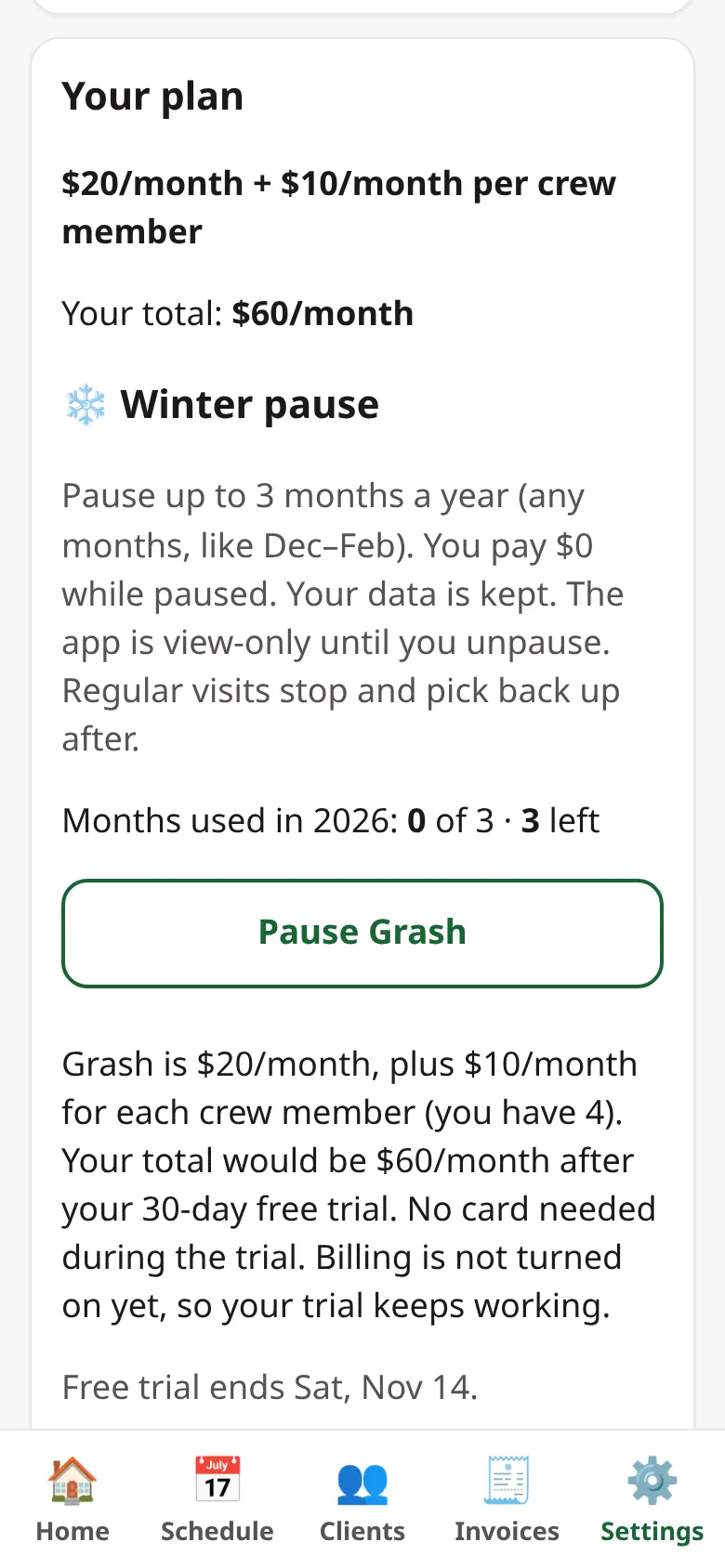
Log in and tap ? Help at the top. Tell us what you're stuck on and we'll answer.
$20/month. Crew logins $10/month each. Pause up to 3 months in winter and pay $0.
Turn grass into cash with grash.app.
Start free trialNo card needed. Cancel anytime.
Screens show a made-up demo business, "Green Acres Lawn Co."